

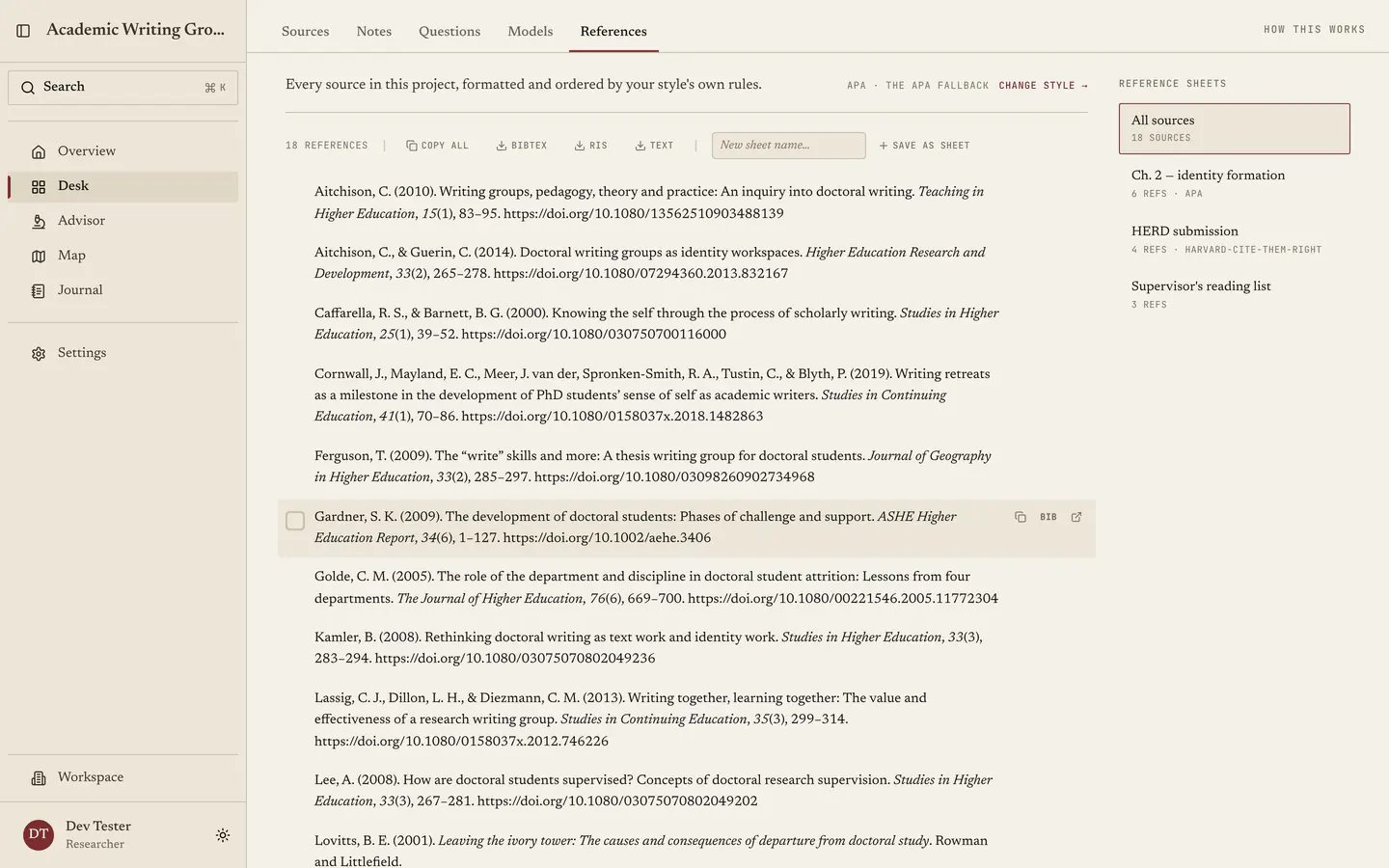
All sources
The default view, showing everything in your library formatted in the project’s citation style. Each entry offers Edit, copy the formatted reference, copy BibTeX or open the source, and setting the project style once applies it everywhere, while changing it re-renders the whole bibliography immediately, which is what you want the week a journal rejects you and the next one on your list uses a different house style. Choose Edit beside a reference to correct its source details. Save updates the existing source and refreshes the formatted reference, citation previews, and exports. The same corrections appear in Sources and every sheet containing that source. Cancel discards the draft; if a save fails, the editor keeps your changes so you can try again. See Reading a source for the available fields.Reference sheets
A sheet is a named subset of your library. Create one, then select references from All sources and save them into it, and a sheet can carry its own style or inherit the project’s, with right-clicking the style control setting it to inherit. Use this feature, because a doctoral bibliography is never one list. Keep a sheet per chapter so the chapter bibliography is one copy away, keep a sheet for the paper under review in that journal’s style while your thesis stays in your university’s, and keep a sheet for a supervisor’s reading list. Remove from this sheet takes an entry out without touching your library, and an empty sheet tells you what to do with “Select references from All sources and save them here.”Exporting
Export a sheet or the whole bibliography into your writing tool, and with the BibTeX copy on every entry nothing gets trapped here, so work that came in from Zotero goes back out to Zotero.Citing while you write
You rarely need this tab for a single citation, since there are two faster routes:- In Notes, type
@to cite a source inline as you write. - On any source’s page, Cite this hands you the formatted reference, the in-text citation and the BibTeX, each with a copy button, and lets you switch style for that one lookup without touching your project default.