Before you begin
You need a Quester account and about ten uninterrupted minutes. If you already keep references in Zotero, Mendeley, or EndNote, export the library as BibTeX or RIS before you start. You can also bring up to five research documents, paste references or DOIs, or begin with an empty library. Have the working version of your research question nearby. It does not need proposal-ready wording; one honest sentence is enough. If you still need an account, choose Create account on the sign-in page. Accept the Terms of Service and Privacy Policy using the checkbox below the email field, then continue with Google or email. If you reached sign-in from a link inside Quester, the app preserves that destination through authentication, subject to your access to the workspace or project.Step 1: About your work
Name the project after the real thing, meaning your thesis or your study or the grant rather than “Test” or “PhD”, since you will be looking at this name for years and your advisor uses it too. Then answer What is it about? in a sentence or two, and rough phrasing is fine. Of everything in the flow this is the field that matters most, because it becomes the first thing your advisor knows about your work, and it seeds the “about my work” statement you can rewrite later under Tuning the Advisor. Two more fields, both optional and both worth filling in. Where are you in the arc? places the project in the doctoral sequence (Coursework, Proposal, Data & writing, Drafting, Defending), which matters because an advisor talks differently to someone in coursework than to someone three weeks from a defence, while Your field (“Higher Education”, “Molecular Biology”) gives it your discipline’s vocabulary. This step is also the one that creates the project, so it is the only step you cannot come back to.Step 2: Bring in your sources
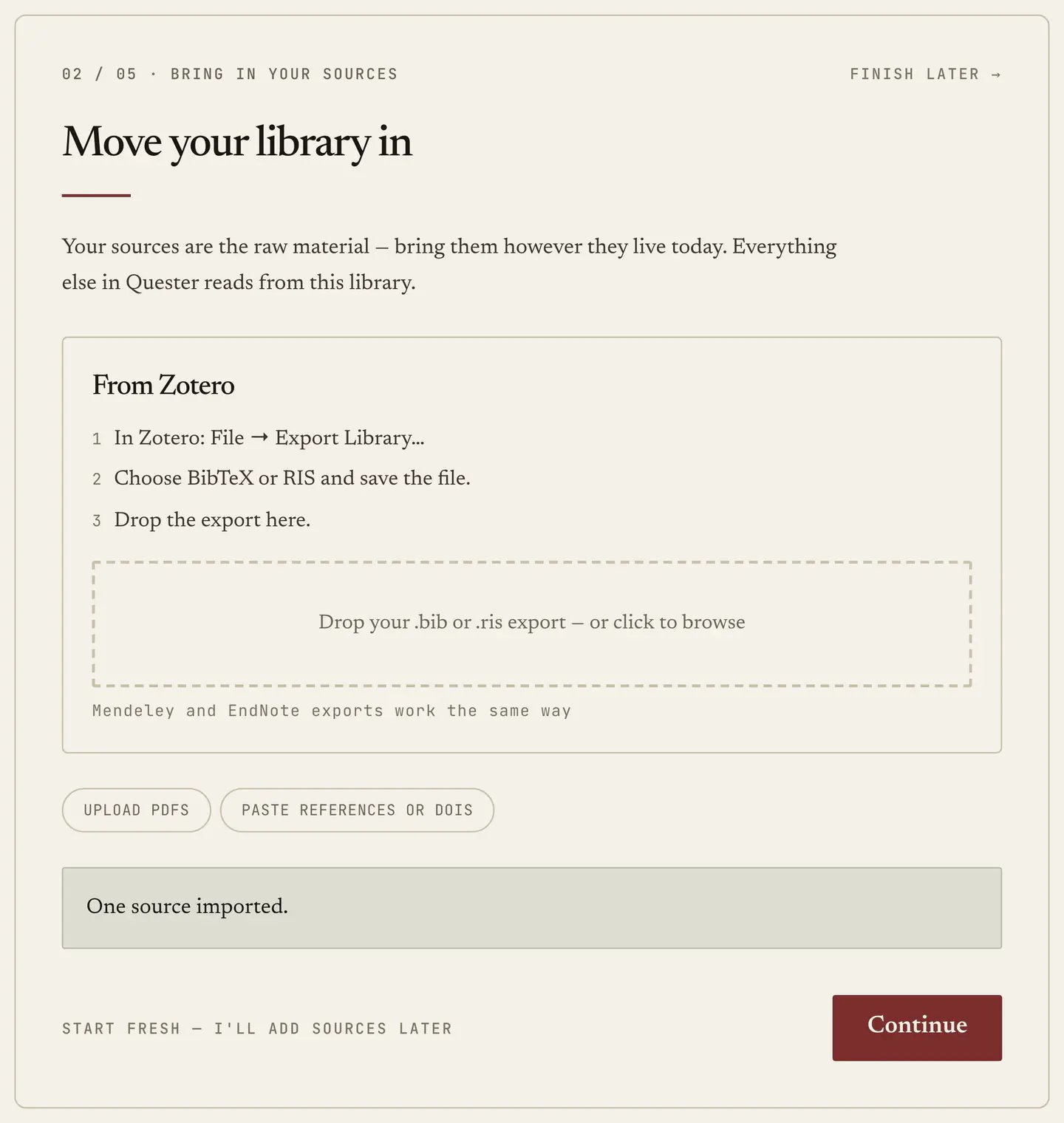
Your sources are the raw material, and since the Map, the Advisor and References all read from this library, a project with nothing in it is a project where most of the app has nothing to say. Zotero is the featured path, because that is where most people’s libraries already live:- In Zotero: File → Export Library…
- Choose BibTeX or RIS and save the file.
- Drop the export onto the panel.
Step 3: Your questions
Write down what you are trying to find out, up to seven of them, one per box, remembering that one honest question beats six hedged ones. Rough phrasing is expected, because this is not the version that goes in your proposal. What matters is that your advisor now has something to read the library against: a corpus with no questions is a pile of papers, whereas a corpus with questions is evidence for or against something. You will sharpen these later in Questions.Step 4: Meet your advisor
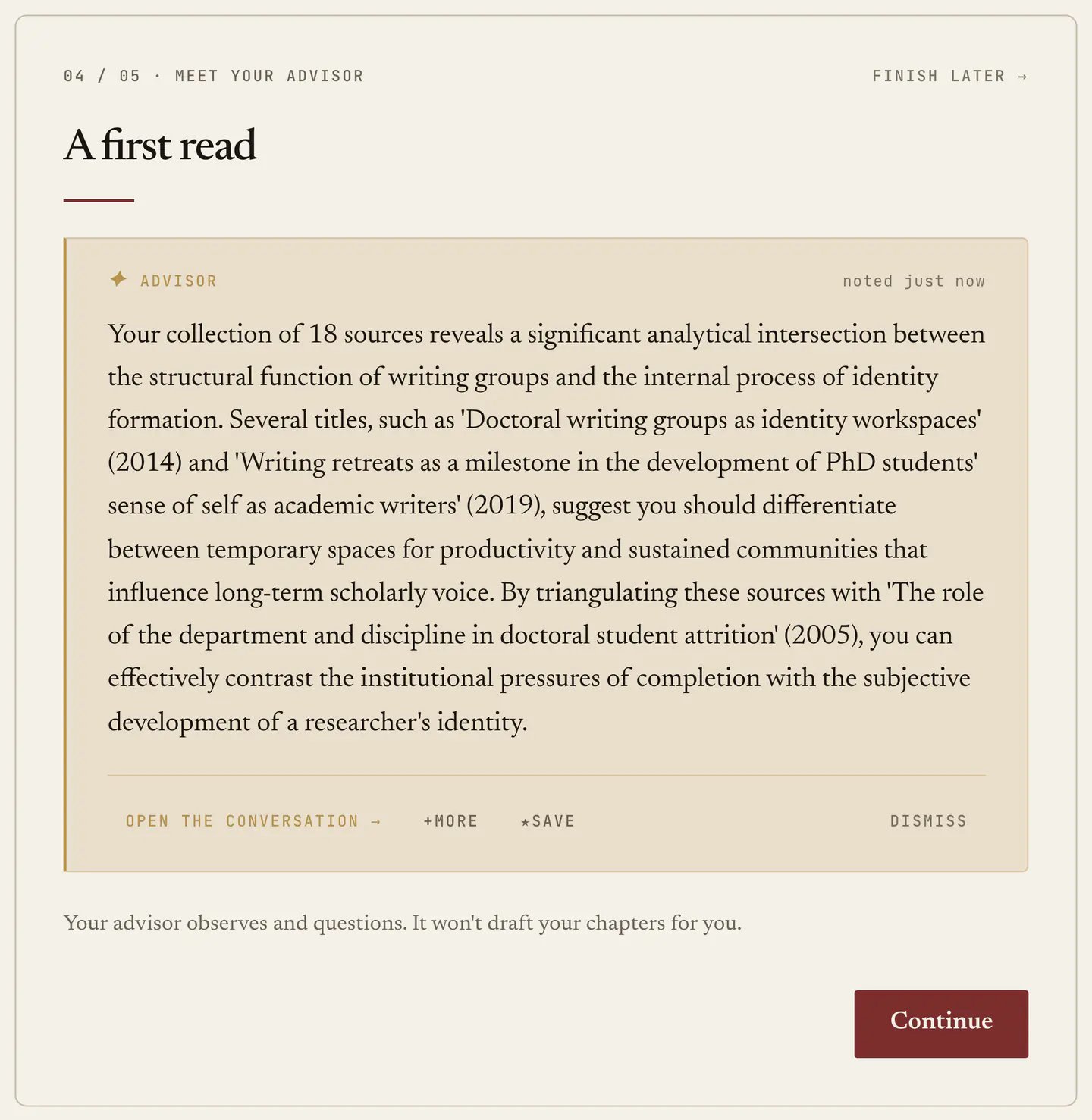
Your advisor reads what you just brought in and writes one observation about it. What you get is a first read rather than a summary, drawn from your actual sources: what the library leans toward, where it is thin, which of your questions have material behind them and which do not. If uploads from step 2 are still processing, the step waits a moment so the read can cover as much of the library as possible.