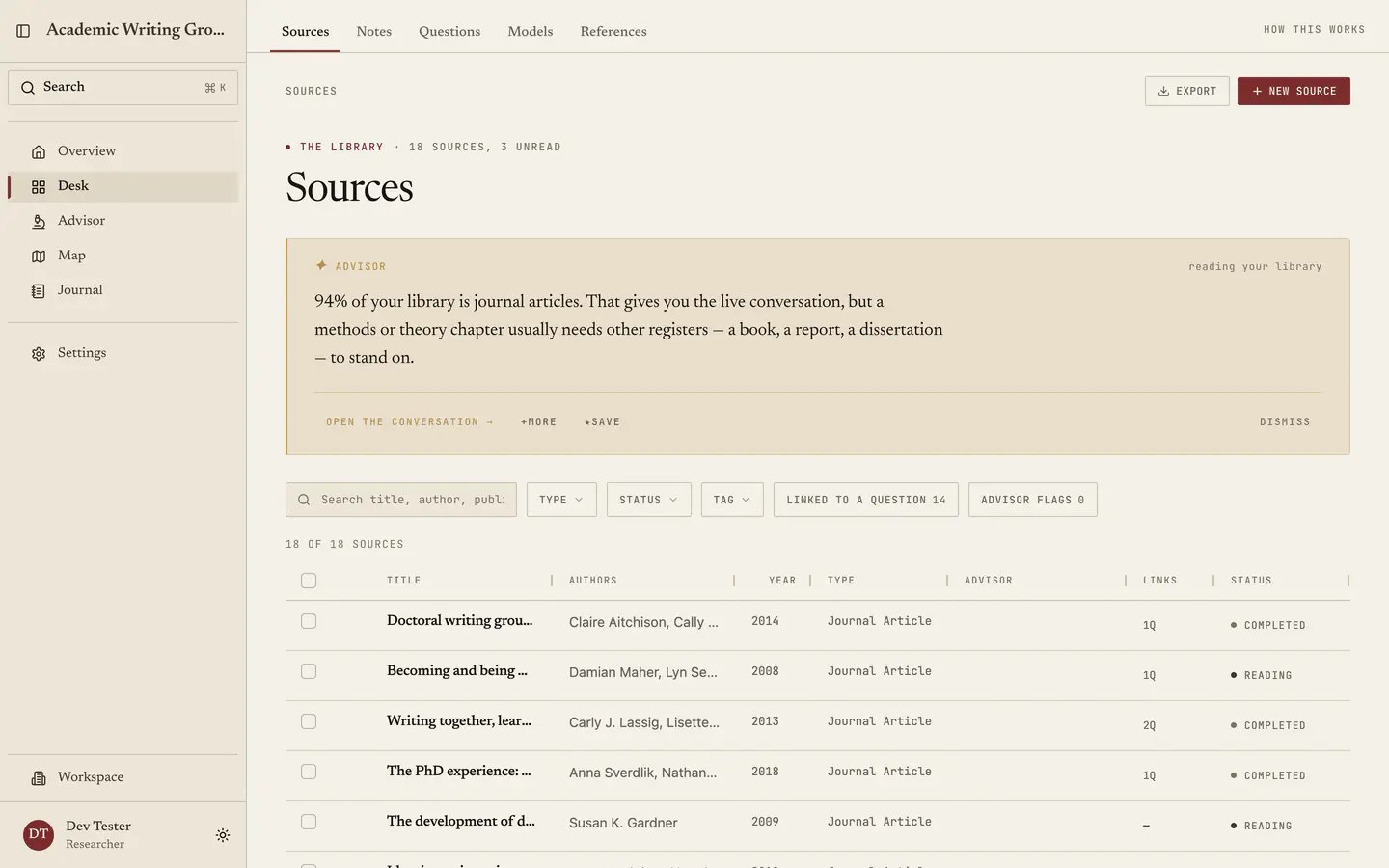
Sources is the first tab of the Desk and the foundation everything else stands on. The Advisor can only discuss what is here, the Map can only analyse what is here, and References can only cite what is here. Once a source lands, Quester pulls its metadata, extracts text where there is a file, and connects it to your questions and notes. The Sources tab: an advisor reading of the library above the filters, then the source table with reading statuses.

Put literature here first

Bring the library in before you try to learn anything from the Map or the Advisor. A reference-manager export is the fastest route for an existing corpus; documents and pasted references cover the material that has not reached your manager yet.

Import your sources

Follow the procedure for BibTeX, RIS, documents, pasted references, and manual records.

Processing reference

Look up queue states, failed documents, source limits, and exports.

Authors in your reading

Open Explore authors below the source filters to see the author cloud. It starts collapsed so your references remain easy to reach. Larger names appear in more of your project’s sources; every coauthor counts once per source across the whole project. Choose List for an exact, readable list, or select a name to open its sources. The cloud stays about the whole library when you filter the source table. Names are grouped as recorded in your sources. Similar names are kept separate; a shared surname or initial is not enough to identify a person. Open the conversation takes the library observation to Advisor. Choose a new conversation or the current one, then review and send the draft. Existing draft text stays intact during navigation; applying the observation clears narrower context filters to discuss the whole library.

Finding things again

Search the list by title, author and publisher, and filter by status and by advisor flag. Status is yours to set and it earns its keep, running Not started, Reading, Note taking, Completed and Archived. Keep it current and a pile of two hundred PDFs turns into a work queue where “what am I in the middle of” is one click, and you can set it from the list or from a source’s own page. Under each title, File uploaded means an uploaded document is attached to that source. No file attached means only the source details are saved; open the source to attach a document. This indicator is separate from your reading status and from the processing tray’s progress or errors. It updates when an upload finishes and stays visible when you return to the list.

How much to bring in

More than feels comfortable, and earlier than feels ready. The analyses in the Map need a corpus before they can say anything true, since theme clustering over eight sources tells you about those eight sources and nothing about your field. Composition, terms and trends all sharpen as the library grows, and the Advisor’s first read is only as specific as the material behind it. The opposite instinct, which is curating carefully and importing only what you have read, costs you the exact thing the tool is for, namely seeing the shape of a body of literature you have not fully absorbed yet. Bring in the whole reading list and use status to mark what you have actually read. Next: Reading a source.
Last modified on September 17, 2026