

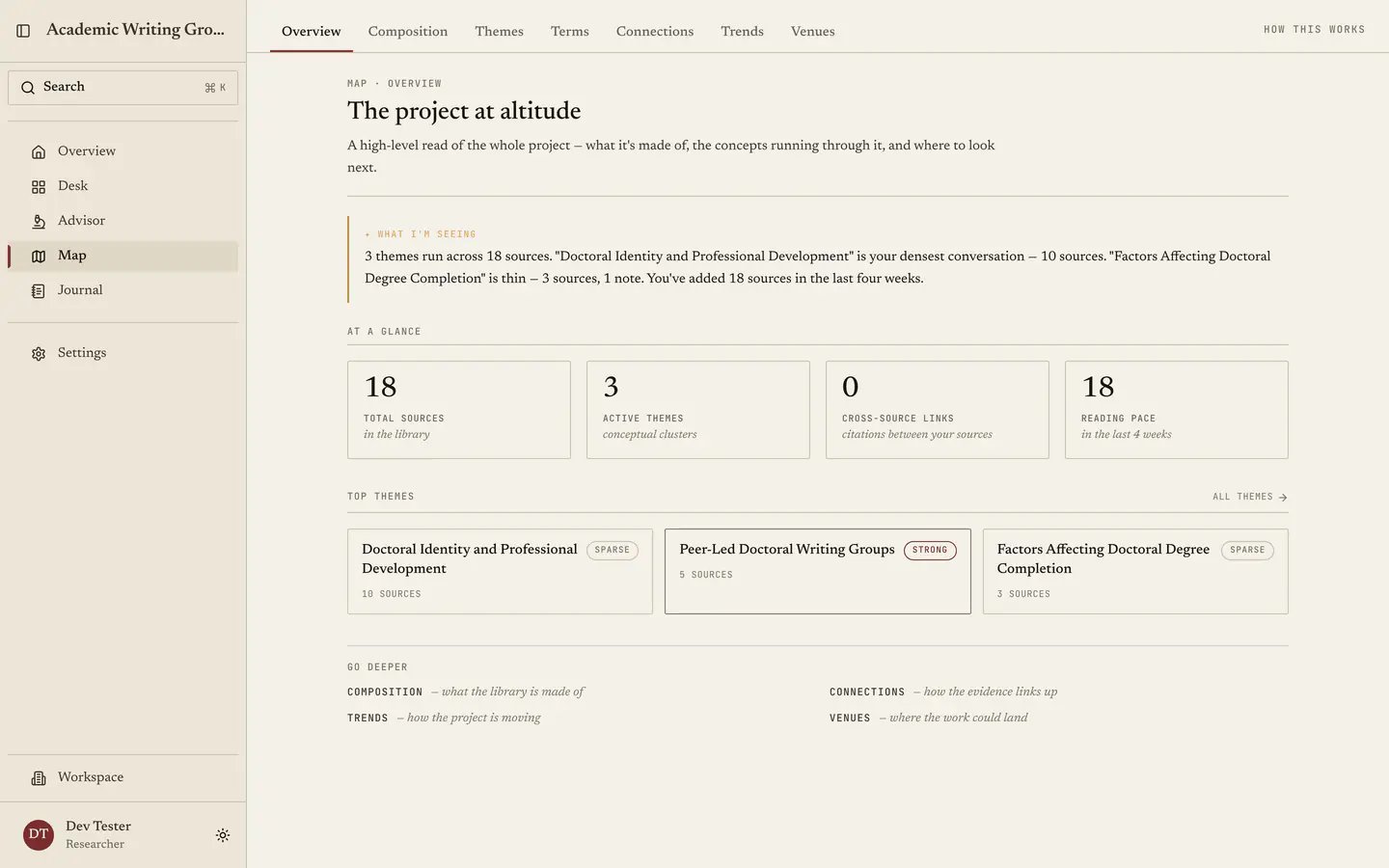
The summary card
The gold card at the top summarizes the numbers below it and your theme data. You can check every claim against the deeper tabs.At a glance
Four stat cards describe the collection:- Total sources. How big the corpus is.
- Active themes. How many visible authored and generated themes the project contains.
- Cross-source links. How connected it is, since a library where nothing links to anything is a reading list while one with dense links is a literature.
- Reading pace. How fast it is growing.
Top themes
The leading authored and generated themes in your library, shown as tiles, each of which opens the full Themes tab. Authored tiles are labelled so they are not mistaken for generated clusters. Use this as a quick check on whether your corpus is about what you think it is about. An unexpected theme near the top usually means one of two things: either you have been reading more widely than you realised, or you have imported a body of work that is not really yours to review. Both are useful to find out.Go deeper
Pointers into the six other lenses, where which one to open depends on your question:- What is my library made of? → Composition
- What concepts run through it? → Themes
- How does my field use these words? → Terms
- How do my sources relate to each other? → Connections
- How has my project moved? → Trends
- Where could this work land? → Venues