

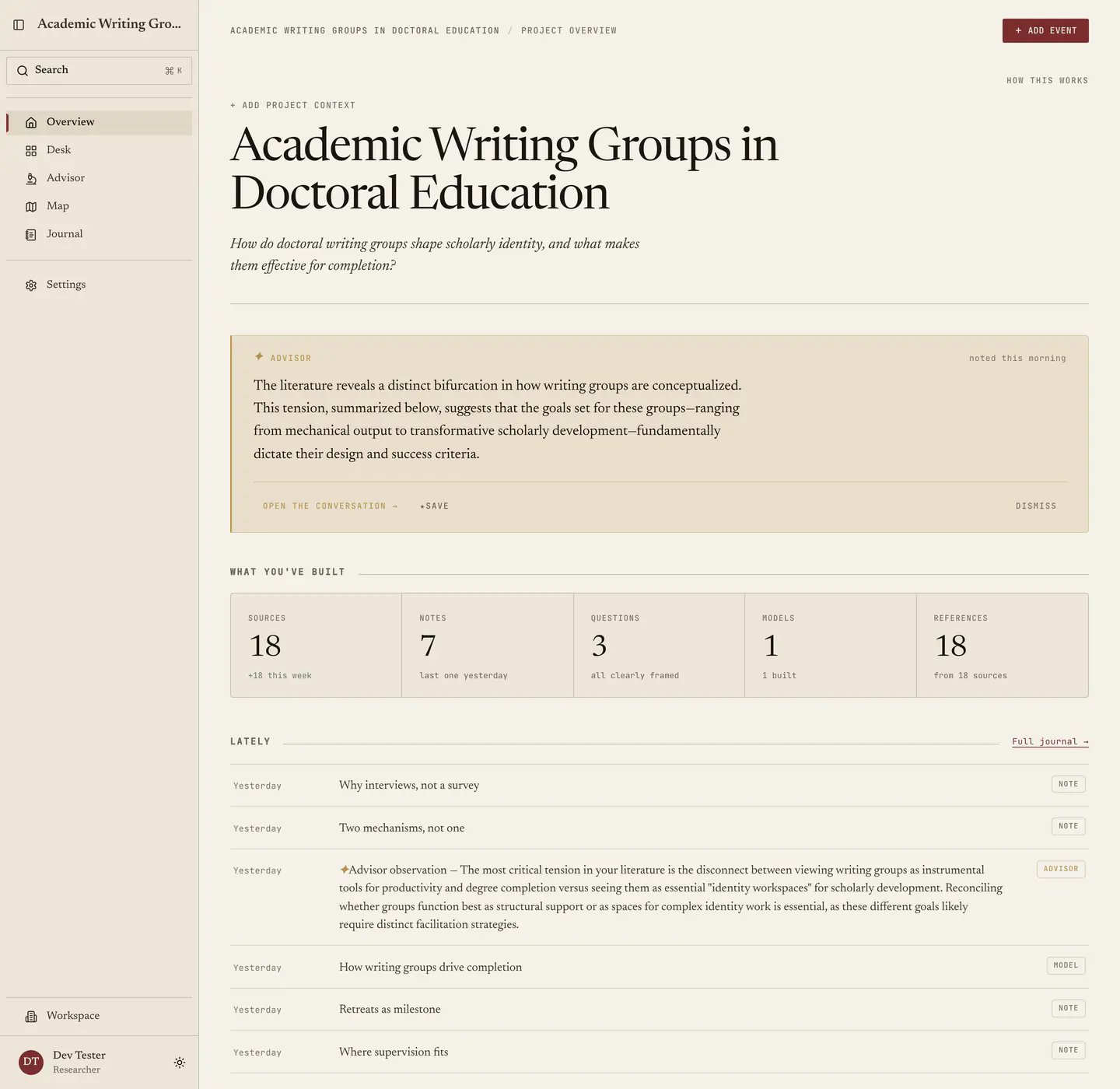
The masthead
The project’s name, and under it a line you should fill in with one sentence on what this project is for. Leave it empty and the page asks for it, saying “Add a one-line framing so the advisor - and your future self - knows what this project is for.” Both halves of that hold, since your advisor reads the line at the start of every session, and you will read it in eighteen months, having completely forgotten what you meant in month three. You can also set a project type (“Dissertation”) and a year, both edited in place, while a brand-new project reads as “Your new project” and asks you to name and frame it, with everything below filling in as you work.The advisor’s observation
One gold card holding the most recent thing your advisor has said about this project, with More to expand it and Open the conversation → to take it further. Two things you can do with an observation: Save puts it in your Journal as a starred entry, which is how the ones that turn out to matter survive, and Dismiss clears it. Get into the habit of saving, because an observation you agreed with in March is evidence about how your own thinking moved, and once it scrolls away it is gone. On a project with nothing in it the card admits it has nothing to read and suggests that two or three of the papers you are already working from would fix that. If the advisor is switched off for this project, the card says so and points out that the counts, events and facts below belong to you either way, since nothing else on this page needs AI.What you’ve built
Five tiles: Sources, Notes, Questions, Models, References. Each shows a count with a subline, and each links into the matching Desk tab.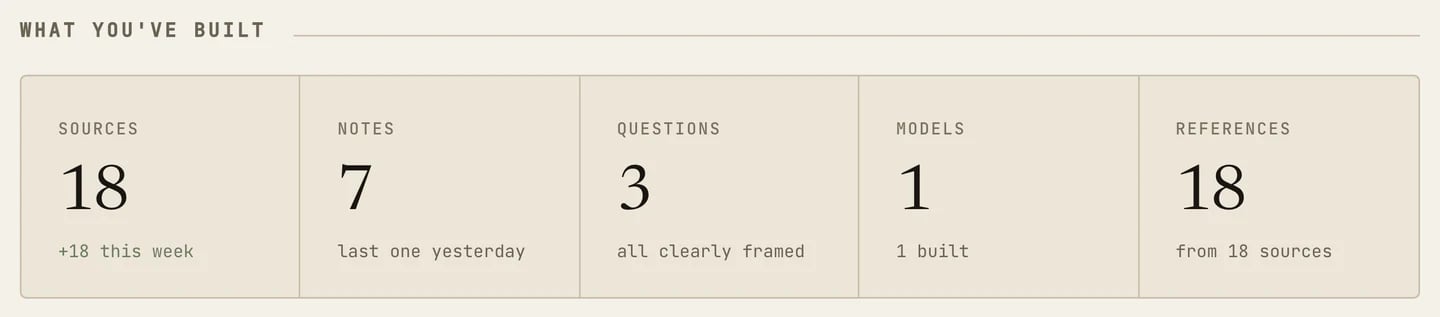
- Sources: how many arrived this week, or “import to start”.
- Notes: when you last wrote one.
- Questions: either “all clearly framed” or “{n} needs sharpening”.
- Models: how many you have built.
- References: how many sources the bibliography draws on.
Lately
A short reverse-chronological stream of sources added, notes written, models built, advisor observations, milestones and events, with every entry labelled by kind and timed loosely as “this morning” or “Tuesday”. Treat it as a window rather than the record, since Full journal → opens the Journal, which holds everything, filters and exports.Project facts
The reference strip at the bottom holds the things that rarely change and matter when they do. It is marked “Reference · edit anytime”, and every field edits in place.- Status. Where the project sits in the doctoral arc, from eight values: Coursework, Proposal, Candidacy, Data collection, Analysis, Writing, Revision, Defense. Your advisor reasons about this one, so keeping it current changes what comes back.
- Next deadline. A date and label you set, or, if you leave it blank, the next event on your timeline, and it tells you which one it is using.
- Working toward. The outputs you are aiming at, such as “Empirical paper” and “Conference talk”. Add outcome adds another without replacing existing outcomes. Each outcome has its own Edit control for its name and status; choose Save to keep the changes.
- Designs. How you are going about it.
- Keywords. The project’s own terms, which feed the analyses in Terms.
- Funding. Linked grants, though most projects need nothing here and the section says as much instead of implying you forgot something.